Local SEO for Small Business: 10 Steps to Rank in the Map Pack
What this guide covers
- What local SEO actually means
- How Google decides who shows up
- Step 1: Claim and verify your Google Business Profile
- Step 2: Pick the right primary category
- Step 3: Fill in every field, not just the easy ones
- Step 4: Make your name, address and phone identical everywhere
- Step 5: Build the citations that actually count
- Step 6: Ask for reviews on a schedule
- Step 7: Reply to every review
- Step 8: Give your website a real location page
- Step 9: Post photos and updates
- Step 10: Measure what is working
- Three mistakes that get profiles suspended
- Your first 30 days
- FAQ
If you run a shop, a salon, a trade business or a clinic, most of your customers are not searching the whole internet. They are searching their own neighbourhood. 84% of consumers said they had searched for a local business in the past three months, and 73% of those local searches start on a phone, according to BrightLocal’s 2026 local search data.
The gap is that most small businesses are not set up to be found in those searches. BrightLocal’s 2025 figures put the share of small and medium businesses with a Google Business Profile at just 35%. That is the whole opportunity in one number: the competition in your town has mostly not done this.
This guide walks through local SEO for small business in ten steps, in the order that gets results fastest. Almost everything here is free. If you have already read our guide on how to get more customers, treat this as the deeper version of its first section.
What local SEO actually means
Local SEO is the work of getting your business to show up when someone nearby searches for what you sell. In practice that means three surfaces:
- The map pack — the box of three businesses with a map that sits near the top of the results page.
- Google Maps — the same listings, browsed directly in the Maps app.
- Ordinary blue-link results — your website ranking for searches like “emergency plumber Leeds”.
The map pack is the prize. It sits above the normal results, it shows your phone number and directions, and it is driven almost entirely by your Google Business Profile rather than by your website. That is why a business with a one-page website can outrank a competitor with a much bigger site.
Local SEO is also not the same as national SEO. You are not competing with every company in your industry. You are competing with the handful of businesses within a few miles of the person searching. That is a fight a small business can win.
How Google decides who shows up
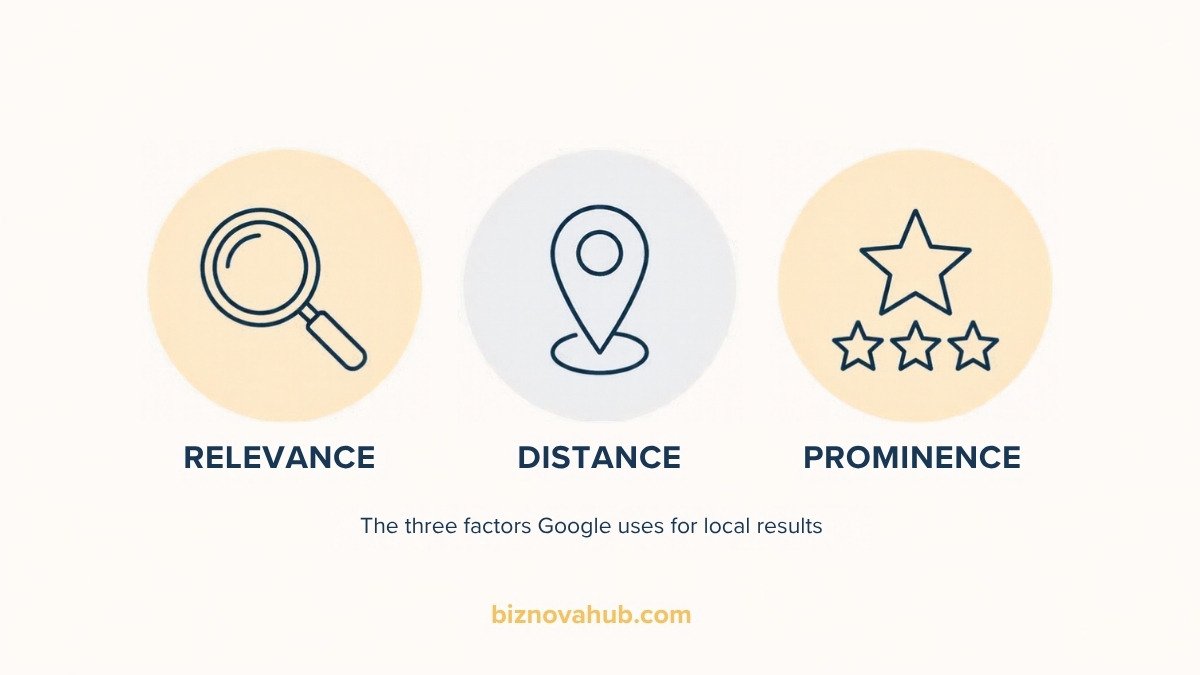
Google is unusually open about this. Its own help documentation on local ranking states that local results are based mainly on three things:
- Relevance — how well your profile matches what was searched. Google’s advice is to add complete and detailed business information so its systems can understand what you do.
- Distance — how far you are from the searcher. You cannot change this, but it is why a business two streets away can beat you for the same search.
- Prominence — how well known your business is. Google says more reviews and positive ratings can help your local ranking, alongside links to your site from elsewhere on the web.
Google also says plainly that there is no way to request or pay for a better local ranking. Anyone selling you a guaranteed map pack position is selling you something Google does not offer.
Two of those three factors are inside your control. The ten steps below are simply the practical version of relevance and prominence.
Step 1: Claim and verify your Google Business Profile
Nothing else on this list works until this is done. Go to google.com/business and search for your business name and town. One of two things happens:
- A listing already exists. Google often creates these automatically from other data. Click it and choose the option to claim or manage it.
- Nothing exists. Create the profile from scratch.
Then verify. Google will offer one or more methods depending on your business type and country: a postcard to your address, a phone call, an email, or a short video showing your premises, signage and equipment. Video verification has become the most common route for service businesses, so film it in one continuous take: your street sign, your front door, your tools or stock, and finally yourself using a till, computer or key.
Verification can take anywhere from a day to two weeks. Start it before you do anything else on this list.
Step 2: Pick the right primary category
Your primary category does more for relevance than any other single field. It tells Google which searches you are eligible to appear for at all.
Two rules:
- Be specific, not broad. “Italian restaurant” beats “restaurant”. “Emergency plumber” beats “plumber” if that is genuinely what you do.
- Describe what you are, not what you sell. A bakery that also serves coffee is a bakery, not a coffee shop.
To find the right one, search for the top three competitors already ranking for your main search term and look at the category shown on their profile. If all three use the same primary category and you use a different one, that is usually your answer.
Add secondary categories for genuine additional services, but keep the list honest and short. Five accurate categories beat fifteen vague ones.
Step 3: Fill in every field, not just the easy ones
Google tells businesses that a complete profile makes customers far more likely to visit. The fields most owners skip are the ones that matter:
- Services or products. List them individually with a short description each. This is free keyword real estate most competitors leave empty.
- Business description. 750 characters. Write it for a human, mention your town and your main service naturally, and skip the marketing adjectives.
- Attributes. Wheelchair accessible, free parking, women-owned, appointment required. These feed Google’s filters.
- Opening hours, including holidays. Wrong hours cause one-star reviews. Set special hours for public holidays in advance.
- Service area. If you travel to customers, set the towns or postcodes you cover rather than a radius that stretches into places you will not drive to.
- Booking and appointment links. If you take bookings online, add the link.
Set a calendar reminder to revisit this every quarter. Profiles drift, and Google occasionally lets the public suggest edits.
Step 4: Make your name, address and phone identical everywhere
NAP stands for name, address, phone. Google cross-checks your details across the web, and inconsistencies make it less confident about which listing is real.
The usual culprits are small:
- “Street” on your website, “St” on Facebook, “St.” on Yelp.
- An old mobile number still listed on a directory you forgot about.
- Suite or unit numbers that appear in one place and not another.
Pick one exact format, write it in a document, and use that version everywhere from now on. Then search your business name and your old phone number in Google and fix whatever still shows the wrong details.
Step 5: Build the citations that actually count
A citation is any mention of your business name, address and phone on another site. You do not need hundreds. You need the handful that Google and other data providers actually read.
| Where | United States | United Kingdom |
|---|---|---|
| Core directories | Google Business Profile, Apple Business Connect, Bing Places, Yelp, Facebook Page | Google Business Profile, Apple Business Connect, Bing Places, Yell, Facebook Page |
| Trust and review sites | Better Business Bureau, Angi, Nextdoor | Checkatrade, Trustpilot, Nextdoor |
| Local and sector | Chamber of Commerce, local news directory, trade association | Local council business directory, trade body register |
Two of these are frequently ignored and worth doing this week: Apple Business Connect, which feeds Apple Maps and therefore every iPhone, and Bing Places, which increasingly feeds AI assistants that use Bing’s index.
Step 6: Ask for reviews on a schedule
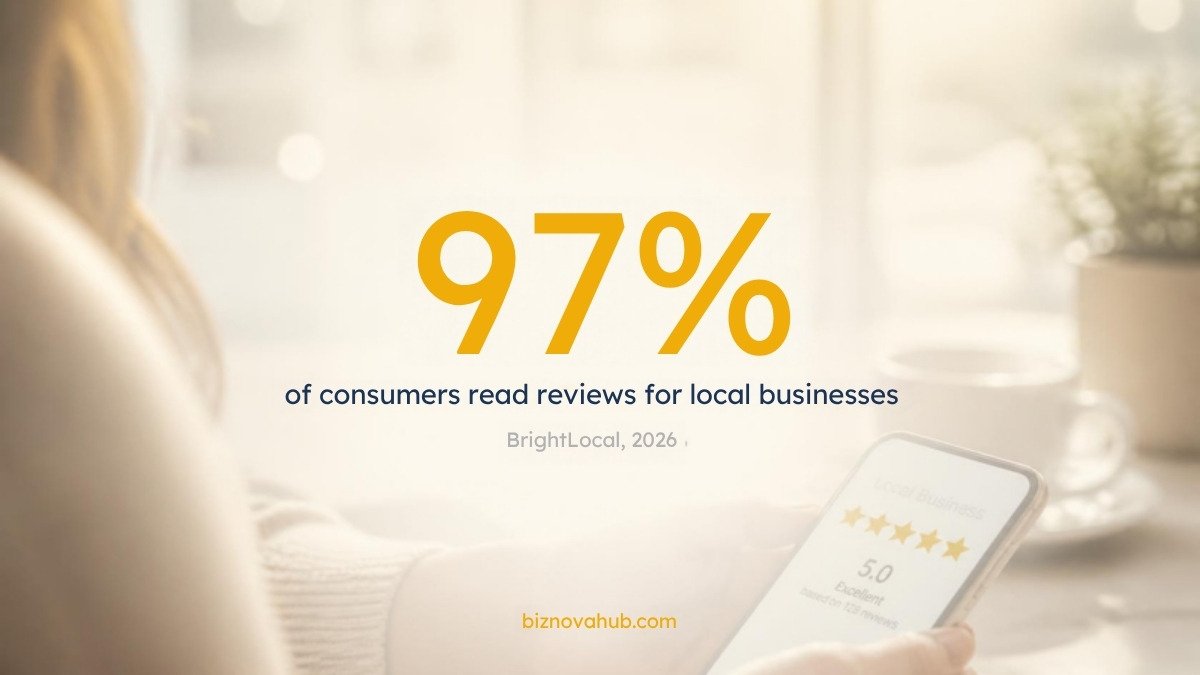
BrightLocal’s 2026 research found that 97% of consumers read reviews for local businesses, 71% use Google to read them, and 65% have rejected a business for a review-related reason. Separately, 54% said they visit a business’s website after reading positive reviews. Reviews are not a vanity metric; they are the step between being found and being chosen.
The reason most businesses have few reviews is not that customers are unwilling. It is that nobody asks, or someone asks occasionally when they remember. Fix that by making it a routine:
- Pick the moment. The best time is immediately after the customer has expressed satisfaction, not days later.
- Use the short link. Google gives every profile a review link. Copy it once and save it to a text shortcut on your phone.
- Ask in person, follow up in writing. A verbal ask followed by a text with the link converts far better than a cold email.
- Set a weekly target. Two or three a week is enough. That is over a hundred a year, which is more than most local competitors will ever have.
Never pay for reviews, never offer a discount in exchange for one, and never write them yourself. Google removes them and can suspend the profile.
Step 7: Reply to every review
Google explicitly lists responding to reviews among its recommended actions for local ranking. It also does something simpler: it shows future customers that someone is paying attention.
For positive reviews, keep it short, specific and human. Mention the actual job or product rather than pasting the same thank-you under every one.
For negative reviews, a three-part reply works:
- Acknowledge what went wrong without arguing the facts in public.
- Say what you have changed or are doing about it.
- Offer a way to continue the conversation offline, with a name and a direct contact.
Future customers are not reading to see whether you ever made a mistake. They are reading to see how you behave when you do.
Step 8: Give your website a real location page
Your Google Business Profile drives the map pack, but your website still has to support it.
At a minimum, your site needs:
- Your full NAP in the footer, in the same format as your profile, as text rather than inside an image.
- An embedded Google map on your contact page.
- A page per location if you have more than one, each with its own address, hours and phone, not a single shared page listing all of them.
- LocalBusiness structured data, which tells search engines your details in a machine-readable form. Google’s local business structured data documentation sets out the required fields.
- A page that loads fast on a phone, since nearly three quarters of local searches happen on mobile.
If you are still deciding how your business is set up legally, that affects the name you use on all of this — our comparisons of LLC vs sole proprietorship and sole trader vs limited company are worth reading before you register anywhere.
Step 9: Post photos and updates
Adding photos and videos is on Google’s own list of recommended actions. It is also the easiest ongoing task on this page.
A workable rhythm:
- Weekly: two or three real photos. Finished work, your team, the premises, the van. Taken on a phone is fine. Stock photography is not.
- Weekly: one short update post. An offer, a new service, a seasonal reminder, an answer to a question customers keep asking.
- Monthly: check the Q&A section on your profile. Anyone can answer questions there, including people who do not work for you. Post the correct answers yourself.
Geotagging photos does nothing for ranking, despite what a lot of older advice claims. Taking photos that actually show your business does.
Step 10: Measure what is working
Local SEO moves slowly enough that memory is unreliable. Check two free sources once a month.
Google Business Profile performance tells you how many people called, asked for directions, clicked through to your website, and which searches brought them. Watch the ratio of “discovery” searches (people who searched for a service) to “direct” searches (people who searched your name). Rising discovery searches mean your local SEO is working.
Google Search Console tells you which queries bring people to your website and where you rank for them. Filter by queries containing your town name.
Record three numbers on the first of each month: total calls, total direction requests, total review count. Three months of that is enough to see a trend.
Three mistakes that get profiles suspended
Keyword-stuffing your business name. This one is tempting because it works in the short term. A 2026 Whitespark study of more than 1.4 million listings found that in travel and tourism, listings with an exact-match keyword in the name hit the top three at 29.54% versus 6.05% for those without. But the same study points out that this breaks Google’s guidelines, which require your profile name to be the branding you actually use in the real world. Suspended profiles disappear from the map pack entirely, and reinstatement is slow. If you want a keyword in your name, change your trading name properly or register a DBA first.
Using a virtual office or a mailbox address. Google requires a real address where you are staffed during your stated hours, or a hidden address with a defined service area. Co-working desks and mail-forwarding addresses are a common cause of suspension.
Creating a second listing for the same business. Duplicates split your reviews and confuse Google. One business at one address gets one profile. If you find a duplicate, report it rather than leaving both.
Your first 30 days
| Week | Focus | What to finish |
|---|---|---|
| Week 1 | Be findable | Claim the profile, start verification, set the primary category |
| Week 2 | Be complete | Services, description, attributes, hours, service area, first ten photos |
| Week 3 | Be consistent | Fix NAP everywhere, add Apple Business Connect and Bing Places, audit old listings |
| Week 4 | Be chosen | Start the weekly review routine, reply to every existing review, add the location page and schema |
Frequently asked questions
How long does local SEO take to work?
Profile changes can affect rankings within days once verification is complete. Review-driven improvements build over months. Expect a noticeable difference in three months if you keep the weekly routine, not in three weeks.
Do I need a website for local SEO?
You can rank in the map pack without one, and many businesses do. But without a website you lose the people who click through to read more, and 54% of consumers say they visit a business’s website after reading positive reviews. A simple three-page site is enough.
Can I rank in a town I do not have an address in?
Not in the map pack for that town, no. Distance is a ranking factor you cannot work around. You can rank in ordinary search results for that town with a dedicated page about the service you offer there.
Is paying for local SEO services worth it?
The steps on this page are free and take a few hours plus a weekly habit. Pay for help once you have done them and want to go further, not instead of doing them.
What if a competitor is breaking the rules?
Use the “Suggest an edit” option on their profile, or Google’s business redressal form for repeated problems. Do not copy them.
Does posting on Google Business Profile help rankings?
Google lists photos and current information among its recommended actions. Posts mainly help conversions — they give someone a reason to choose you at the moment they are comparing.
The short version
Local SEO for small business is not complicated, and it is not something you can buy your way past. Claim the profile, fill it in properly, keep your details identical everywhere, ask for reviews every week, and reply to all of them. Most of your local competitors will not do this consistently, and that is exactly why it works.